
Business Process Automation
Automate the production-floor process — so the operator cannot get it wrong.
No obligation — we'll walk through your needs, free of charge.
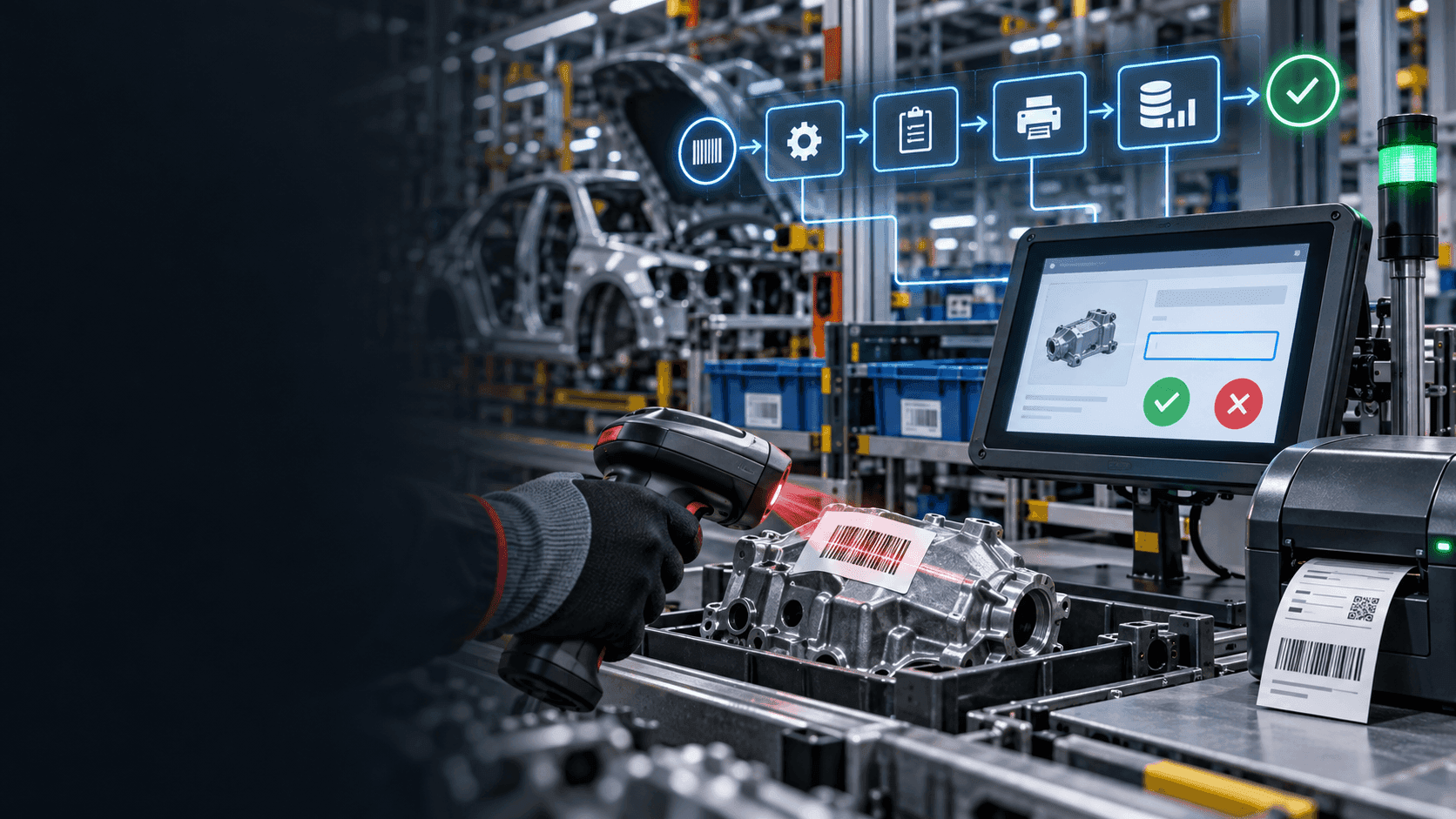
The automotive production floor is unforgiving. Missed steps cost line-stop chargebacks; wrong choices cost warranty claims; a single mis-scan can wreck a sequence. And the people at the sharp end are not sitting at a desk with a manual — they are on the floor, under time pressure, sometimes early in their career. Qmuzik Business Process Automation is engineered for that reality. Qmuzik Tracking is the underlying tool; it turns complex business processes into a sequence of steps that ask the operator for the minimum required input, show a highly visual pass / fail queue, print the label when it is needed and let the whole interaction happen from a barcode scanner instead of a keyboard. The operator gets a clear next action. The plant gets a defensible record. The system makes sure the process runs the same way every time.
Operator-first process, plant-grade record
A production-floor operator does not need a form with 40 fields. They need the next step, the input that step actually requires, and a clear visual signal that it was accepted. Qmuzik Tracking builds every process instance around that reality — while still producing the audit-grade record the business needs.
Minimum
Input asked per step
Only what the process actually requires
Visual
Success / fail queues
Green means go, red means stop
Scanner
For every process action
Start, submit, cancel, choose path
On demand
Label printing
When the process needs it, not before
Ask only for the exact input required
A generic form on a shop-floor terminal gives the operator 40 chances to enter the wrong thing. Qmuzik Tracking flips that. Each process step is designed against the operator's reality — only the fields this particular step actually needs, in the sequence this particular step actually needs them, with the choices this operator is actually allowed to make at this point. The wrong option is not on the screen; the wrong sequence is not possible. Faultless-by-design, not faultless-by-training.
Book a walkthroughWhat the operator sees, what the plant gets
A capability catalogue — the operator-facing behaviours that make the process flow, and the record-side outputs that make it auditable.
Just-enough input per step
Each step asks the operator for only the fields it actually needs to advance — right part, right serial, right decision. No superfluous data entry, no chance to enter the wrong value in an unrelated field.
Highly visual success / fail queues
Green means the scan / entry was accepted and the process advanced. Red means it was rejected with a reason. Queues are visible across the cell so supervisors and operators see the same reality at the same moment.
Scanner-driven — start to finish
Every interaction with the process is scanner-initiated. Start a process instance by scanning a routing card. Submit input by scanning the part, the location, the operator badge. Cancel or reject by scanning the exception barcode. Choose a downstream path by scanning the path barcode. Keyboard optional.
On-demand label printing
Labels — traveller cards, serial labels, ASN placards, sub-assembly identifiers — print at the moment the process step calls for them. No stack of labels waiting on the bench, no lost sequence, no wrong label on the wrong unit.
Path selection at decision points
Where a process branches — rework, salvage, re-inspect, reroute, hold — the operator picks the path by scanning it. The system carries the choice into the record so the deviation is visible and defensible later.
Cancel, exception and hold flows
Cancelling, exception routing and hold decisions are first-class scanner actions — not a special screen for a supervisor to unlock. The audit trail captures what happened, who decided and why.
Template-driven process design
Process templates are defined once and instantiated per work order, per part, per shift. Editing the template updates the next instance without a code release; the running instances keep their in-flight logic.
Live process ledger
Every process instance, every step, every scan, every operator, every timestamp is recorded against the same enterprise record that plans, produces and bills. Nothing lives in a shop-floor silo waiting to be reconciled.
Compliance-grade audit trail
Genealogy, decision points, exceptions, holds and dispositions are all captured against the instance. When the auditor asks what happened, the answer is a query — not a reconstruction from paper.
Automotive application via Tier 2 Tier
Where the shop-floor process has to interlock with OEM broadcasts, sequenced supply, JIS / SILS deliveries and cross-tier visibility, Qmuzik Tier 2 Tier applies the same automation engine to the automotive supply pattern.
How a process instance runs
From the moment the operator picks up the scanner to the closed, audited record — six steps, one system.
- 1
Instantiate
The operator scans a routing card, a traveller or a work-order barcode. Qmuzik Tracking instantiates the process from the template that matches the part, the operation and the shift.
- 2
Present
The screen shows the current step and the minimum fields it needs. Scanned inputs go directly to those fields; no free-text where a scan will do; no options that do not apply at this point.
- 3
Capture
The operator scans the part, the location, the sub-assembly, the operator badge — whatever this step requires. Every scan is validated live against the business system.
- 4
Decide
At a branch — rework, salvage, re-inspect, hold, cancel — the operator scans the path barcode. The decision, the operator and the reason are recorded against the instance.
- 5
Print
When the step calls for a label — traveller, serial, ASN placard, sub-assembly identifier — the label prints at the exact moment it is needed. No queue at the printer, no wrong label on the wrong unit.
- 6
Close
The final step closes the instance. Genealogy, decisions, holds, exceptions and timestamps are all committed against the enterprise record — retrievable per unit, per shift, per operator, indefinitely.
Faultless, every time — because the system will not let it go wrong
The people at the sharp end of a manufacturing operation are not always career operators. New hires, night-shift teams, agency staff — the process has to run the same way regardless. Qmuzik Business Process Automation makes that possible by taking the interpretation out of the operator's hands. The wrong option is not on the screen. The wrong sequence is not possible. The unwanted keystroke is not required. The system carries the discipline; the operator carries out the work. And when someone new arrives on Monday morning, the process runs the same way it did on Friday.
Explore Qmuzik TrackingWhere operator-first automation earns its keep
Sharpest in automotive tier-1 supply — where a single mis-sequenced unit stops the OEM line — but the same operator-first automation pattern applies wherever the shop-floor process has to run the same way, every shift.
Common questions about Business Process Automation
Is this a full BPM engine or a shop-floor tool?
Both. Qmuzik Tracking is a full business-process engine — templates, instances, path decisions, exception routing, audit — but the operator-facing experience is engineered specifically for shop-floor reality: minimum input, visual queues, scanner-driven. The same engine can run a back-office process too, but the design bias is toward the floor.
Do operators need training on complex screens?
Deliberately not. Each step shows only the fields it needs; the wrong option is not on the screen; the wrong sequence is not possible. New hires and shift-relief operators get productive quickly because the process guides them, not the manual.
How does a barcode scanner start a process instance?
A scan of a routing card, traveller or work-order barcode instantiates the process from the template that matches the part and operation. From that point on every action — submitting input, choosing a branch, cancelling, closing — is a scan of the relevant barcode.
What does "highly visual success / fail queue" mean in practice?
Green means the scan was accepted and the process advanced. Red means it was rejected with a reason. Queues are visible across the cell so operators and supervisors see the same state at the same moment — no walking to a terminal to check "did that go through".
Are labels queued in advance or printed live?
Printed live at the moment the process step calls for them — traveller cards, serial labels, ASN placards, sub-assembly identifiers. No stack of labels waiting at the bench, no wrong label going on the wrong unit.
Can we change a process without a code release?
Yes. Processes are template-driven. Edit the template and the next instance runs the new logic; in-flight instances keep the logic they started with, so no shift is interrupted mid-process by a change.
How does this apply to automotive JIS / SILS supply?
The same automation engine runs the automotive-supply patterns via Qmuzik Tier 2 Tier — OEM broadcast decoding, sequenced supply, JIS / SILS delivery, cross-tier visibility. See the Tier 2 Tier product page for that layer.
What audit trail does a process instance leave behind?
Every instance carries its full genealogy — the operator who ran each step, the scan or input, the decision at each branch, the exception routing, the labels printed, the timestamps. Retrievable per unit, per shift, per operator, indefinitely.
See operator-first automation on your process
Bring a real production-floor process to the walkthrough — a sub-assembly line, a paint-and-cure cycle, a sequenced dispatch, an inspection cell. We will show you the scanner-driven instance running against a Qmuzik back-end.
No obligation — we will walk through your needs, free of charge.